The pro keys experience for budget hardware.
Multi-layer sounds, setlists, and ambient pads for church, stage, or rehearsal. Simple to use, with no complex setup required.
Seamless Patch Switching • Ambient Pad Engine • Smooth Sound Layers
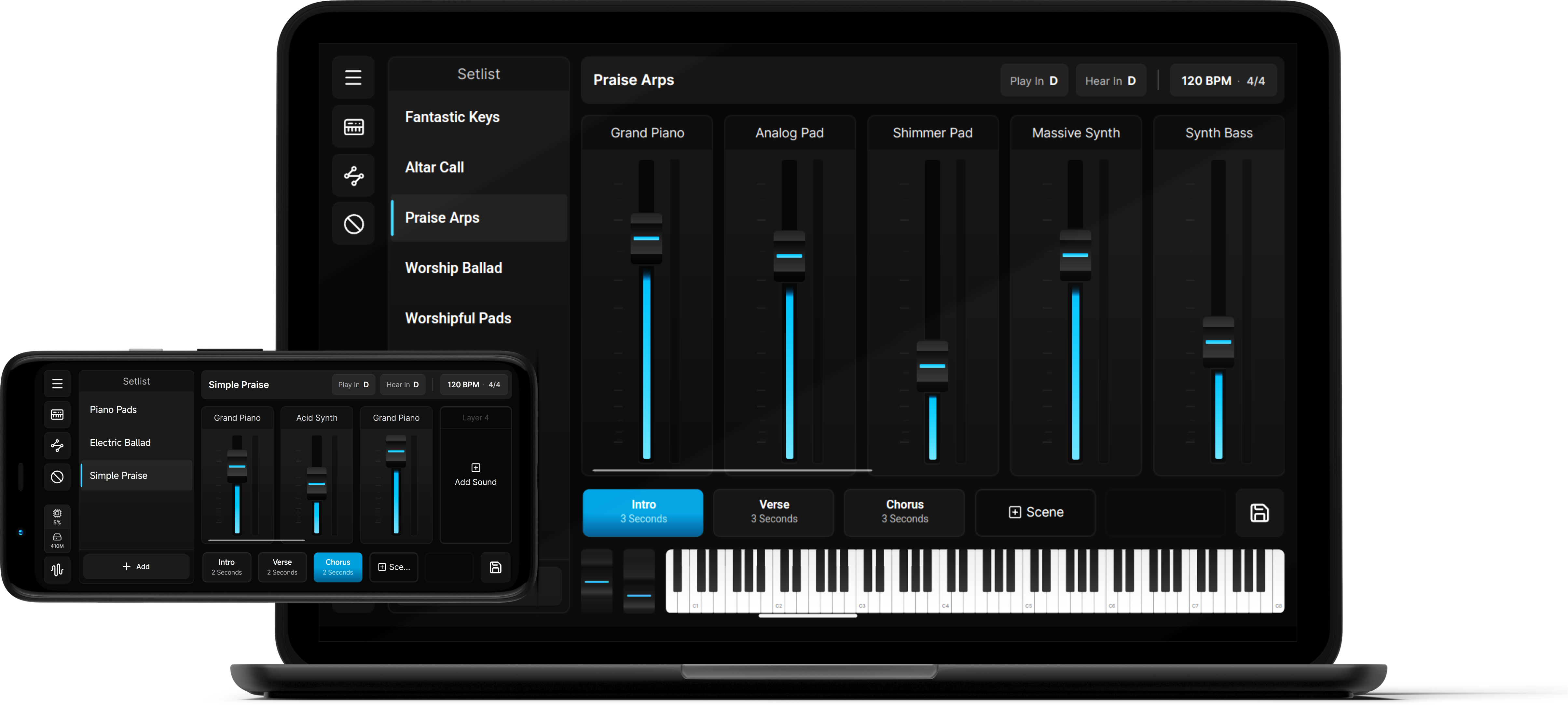
Everything built into Onstage
A complete breakdown of all keys workflows, sound controls, and performance features included in the workstation.
Sound Engine & Layering
- Up to 16 sound layers per patch
- 5 Dynamic Scenes per patch with smooth volume crossfades
- Multi-layered Ambient Pad Player engine
- Customizable Key & Velocity Splits per layer
- Semitone Play-In & Hear-In Transposition
Effects & MIDI Processors
- 3-Band Parametric EQ per layer
- Studio Effects: Reverb, Delay, Chorus & ADSR
- Polyphonic Arpeggiator with velocity patterns
- One-touch Chord Triggers & Inversions
- Key-mapped 16-Step Sequence Pattern generator
Performance & Workflow
- Setlist Management for fast patch switching
- Instant MIDI Learn & Fader Pickup
- Unified Content Packs (.onpack) import & export
- Cross-platform on Windows PC & Android
- Self-contained Offline Operation
All 10 full-version preset patches, played live on an Android phone
From acoustic pianos to ambient pads and synth stacks, hear every preset switch instantly with no cutoffs or stuck notes. No laptop required.
Interface Gallery
Click any screenshot to view in full resolution.
Start free. Upgrade anytime.
Demo Mode and the Full Version are the same app. The free Demo Mode has no time limit but limited features, and a one-time license key unlocks the full version.
Download Onstage
Free DemoOne installer for both Demo and Full. Runs free in Demo Mode, unlock everything with a license key anytime.
Quick Start GuideUnlock the Full Version
Already installed the app from step 1? A one-time license key instantly upgrades it, no second app to download.
Demo Mode
Free TierWhat every installation can do out of the box, forever.
License Key
Full VersionNot a separate app: this key unlocks the Onstage features in the same app. One-time purchase, activates 1 device at a time.
Store purchases (card / PayPal) are instant. QR / Online Banking / E-Wallet Payments are processed the same day.
Requires that the free demo is already installed. Bought before installing? No problem. Just activate it after you download.
Frequently Asked Questions
Here is everything you need to know about your license and transferring Onstage between your devices.
Lightweight and responsive, optimized for live performance.
Built to run smoothly on stage laptops and mobile devices without consuming heavy system resources or requiring expensive hardware setups.